
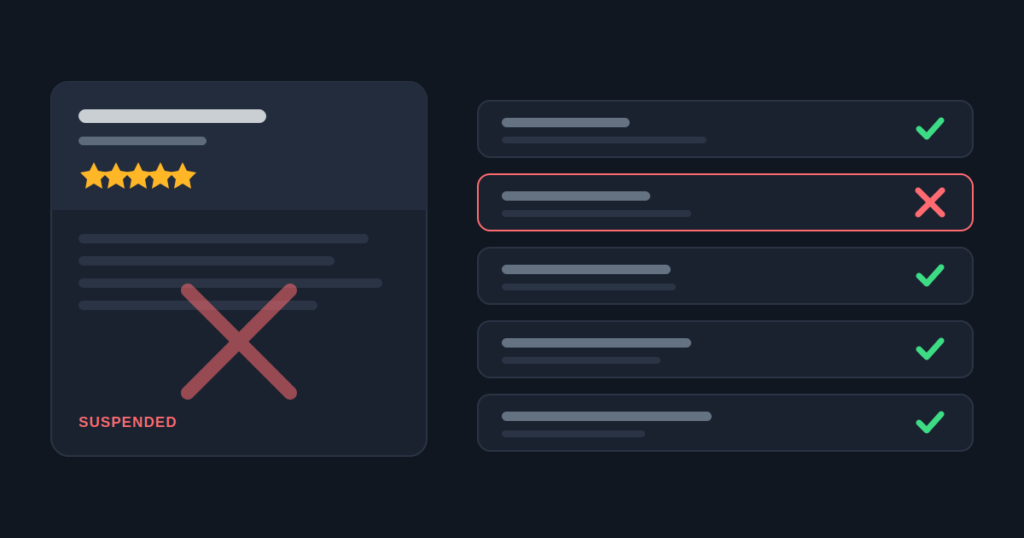
A suspension almost never happens on the day something goes wrong.
The profile is edited in March. It is suspended in June. By then, whoever made the change has moved on to other work. The marketing calendar has turned over twice, and nobody connects the two events.
So the team starts appealing without knowing what they are appealing about. That is the fastest route to a permanent problem.
This matters more for a dispensary than for almost any other business, because the Business Profile is not a side channel for you. Paid search is closed. That leaves the map pack to carry the searches where somebody is choosing where to drive in the next twenty minutes.
Those searches are won on the profile, not on your website, which is why no page of yours can win a near me search. A suspended profile does not reduce your visibility. It removes you from the moment of purchase.
Here is what actually causes a suspension, in the order I come across it. After that come the recovery steps, in the order they work.
1. An Address That Does Not Qualify
This is the most common cause by a wide margin, and the most misunderstood.
Google wants a real, staffed place that a customer can walk into during your stated hours. It also wants a fixed, permanent sign with your business name at that address.
Virtual offices fail. Google says a rented mailing address you do not operate from is not eligible. Coworking desks fail unless the office has clear signage, receives customers, and is staffed during business hours. A shared suite where you are one of several businesses at the same door usually fails too.
So does a licensed unit you hold but have not opened yet. That last one catches good operators who are simply trying to be ready.
Delivery-only stores now have a clear answer. Google’s profile rules name cannabis outright. If your customers must be of a set age to buy, as with alcohol, cannabis or weapons, you cannot list as a service-area business with no storefront.
No appeal changes that. If there is no storefront a customer can enter, the profile is not eligible, however good the paperwork is. Operators in that position get more from their website than from fighting for a listing that cannot stand. The location page checker shows whether your local pages can carry that load on their own.
Best fix: confirm the address passes the walk-in test before you do anything else. Photograph the entrance with the permanent signage in view. Be ready to film a continuous walkthrough from the street sign to the counter. Video verification is requested for this category more often than for most, and having it ready shortens everything that follows.
2. Keywords Or A City Added To The Business Name
Every local marketer has been tempted by this. It does work, briefly, which is exactly why it persists.
Google’s rule is simple. Use the name the business goes by in the real world, on its sign and its branding. “Green Leaf” is your name. “Green Leaf Dispensary Eugene” is not, unless that full string is on the front of the building.
What makes this riskier than most violations is that people enforce it, not only Google’s systems. A padded name is the simplest thing in local search to prove, since a photo of the shopfront settles it. In a licensed market where every operator knows the others, somebody is watching your listing.
Best fix: match the signage exactly, and put the descriptive words where they belong. The category field, the description and your location page can all carry “dispensary in Eugene” with no risk at all. The name field cannot.
3. Promotions In The Description Or In Posts
Your profile describes a business. It does not sell products.
Once prices, deals or potency claims show up in the description or in Google Posts, the listing changes. It stops describing a licensed shop and starts selling restricted goods. Google treats those two things very differently.
This is the most preventable of the five. It is usually caused by process, not ignorance. A new marketing hire treats the profile like a social channel, because on every other account they have run, it was one.
Best fix: write the description once, about the business rather than the stock, and lock it. Before it goes live, run the wording through the compliance checker to catch phrases a reviewer reads as promotion. Then decide on purpose whether you use Google Posts at all. Many chains I work with have decided the upside is not worth the exposure, and post nothing. That is a defensible position, not a lazy one.
4. Cannabis Products Added To The Listing
Product listings, order links and menu feeds for cannabis put the whole profile at risk, not just the one item.
Owners rarely do this on purpose. It usually comes in through a menu platform, or a listing tool that pushes products to every channel it is linked to. Those tools were built for normal retail, where that is a handy feature.
The same logic runs through your website. Product markup on a cannabis menu earns no rich result and states the restricted category in machine-readable form. Which schema a dispensary should use, and which to remove, covers that side.
Best fix: check what your tools are syncing today, and switch off product push to Google in particular. Then check again each quarter, because these tools add new channels in updates.
5. Listing A Store Before It Opens
A profile made before opening day, to get a head start, fails the staffed premises test the day it is checked.
I understand the instinct completely. Local visibility takes time to build, and opening day is the worst moment to start. But a suspension in month one is a much worse start than a listing created in week one of trading.
Best fix: create the profile when you can serve a customer at the counter. Use the weeks before to build the location page, gather citations, and get your license and sign paperwork in order. Then verification is quick once you qualify.
Check your exposure in about two minutes
The suspension risk checker asks twelve questions, weighted by what actually gets cannabis listings pulled. It tells you which of your answers to deal with first.
Run the GBP suspension risk checker
What It Looks Like On A Real Account
One client’s store lost its listing in the same week a new manager put a weekly deal into the profile description.
The listing was reinstated. Even so, that store was missing from the map pack for nineteen days. The map pack was where most of its walk-in customers found it.
For two years before that, nothing about the profile had been wrong. One person, doing what looked like their job, on a channel nobody had written a rule for.
The lesson is not that the manager was careless. The profile had no owner and no rule, so the first person to treat it as a marketing channel did. What belongs on a dispensary profile is one side of the subject. The other side is how one earns its map pack place to begin with.
What To Do When It Has Already Happened
The instinct is to appeal at once. Resist it. Every rejection builds a record that makes the next review slower and more sceptical, and there is a point where a reviewer stops reading carefully.
Google’s own appeal guidance points the same way. It asks you not to submit multiple appeals for the same issue before you have a decision.
1. Stop editing the profile until you know the cause. Random changes while a review is open look like tampering. They also make it harder to argue that the listing is now correct. Freeze it.
2. Find the trigger before you write anything. Go back at least ninety days, not thirty. Check every edit you can trace, the emails Google sent about the profile, and what your integrations pushed. Ask who has had access, including former agencies and the platforms your tools connect to. In most cases the cause is sitting in plain sight.
3. Fix the trigger and let the fix settle. Appealing before the fix is live is the most common reason a first appeal fails. If the name was padded, correct it. If the description carried a promotion, rewrite it. If products were syncing, disconnect the integration rather than deleting items one by one.
4. Gather the evidence Google asks for. Its appeal help page lists four kinds of proof: business registration, a business license, tax certificates, and utility bills such as power, phone or internet. The name and address on each one must match the profile. For a dispensary, the state license is often the best single item.
A name on the license that does not match the listing causes more second-round rejections than anything else. Have every file ready before you start, too. Google gives you 60 minutes after you send the appeal to add proof. Anything later is not attached.
5. Prepare for video verification. For cannabis it is fast becoming the norm. Have someone ready to film one unbroken walk: the street, the sign outside, the entrance, the inside, and the stock that shows you are open for trade. Your signage photos help here, even though they are not on Google’s evidence list.
6. Submit one appeal through the appeals tool, then wait. State what was wrong, what you changed and when. No argument, no account of how unfair it feels, and no second submission because the first is taking too long.
Google’s help page says appeal reviews and decisions can take up to five business days. Treat that as Google’s stated target, not a promise. Cases that pull in a video request can run longer. What you control is whether the submission is worth reviewing.
If the appeal is denied, Google does let you ask for a further review. Use it only once you have changed something or found better evidence. Sending the same case again adds to the record without adding a reason.
Do not create a second profile while the first is suspended.
It is the most tempting move there is, and it makes everything worse. Google’s appeal page says it plainly: do not make a new profile for the same business while an appeal is open. A duplicate is a second breach of the rules. It muddies the first case and can turn a suspension you could have fixed into a permanent one.
The Prevention That Costs Nothing
Almost every case I see traces back to the same gap: the profile has no owner.
Give one named person the primary owner role, not an agency and not a shared login. If an old agency still holds that role, take it back today, not when something breaks.
You cannot act on your own appeal while somebody else holds that role. Chasing a former agency for access while your store is off the map is a bad place to be.
Write down what may and may not go on the profile, in one paragraph, and give it to whoever runs marketing. It should say: no prices, no discounts, no potency, no product listings, and the name stays exactly as it is. That one paragraph would have prevented four of the five triggers above.
Keeping profiles clean across every store is part of our dispensary local SEO service, along with the quarterly checks below.
Screenshot your profile every quarter. When something changes and nobody remembers what it looked like before, a dated screenshot turns a week of digging into two minutes. It also gives you a clean record to check against when you trace a trigger.
Treat the profile as the most fragile asset in cannabis dispensary SEO: easy to lose, slow to win back and worth a quarterly check.
If you take one thing away
Find the trigger before you appeal. An appeal sent before the fix is live does not just fail. It makes the next one harder.